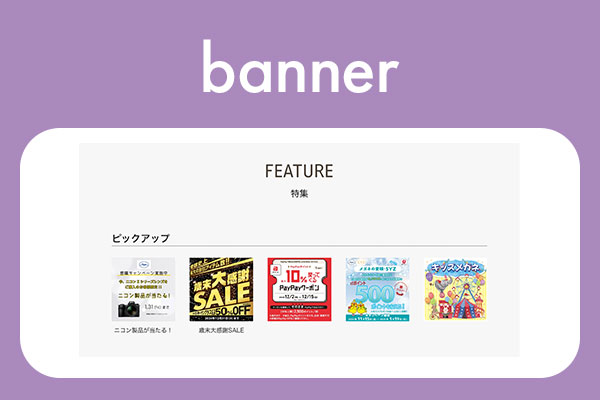
scroll
file=”kaiso” type=”scroll”
trim=”trim0101/trim0302/trim0403/trim1609/trim0201/trim0304/trim0507″
画像の比率を指定
button=”button-a/button-b/button-c”
スライダーのボタンの種類が変更できる。ディフォルトは、ボタン非表示
snap=”no/yes”
スナップが効くかどうかを指定。ディフォルトは、yes
title=”yes/no/set”
親ページのリンクを表示。yesでh4表示。setで子と一緒に並列表示。
category=”banner/res-card”
スクロールするitemの表示形式
res-cardの場合
date=”yes/no”
日付の表示/非表示
excerpt=”yes/no”
抜粋の表示/非表示
option=”無印/tate-only/yoko-only/reverse”
| option | PC | スマホ |
|---|---|---|
| 無印 | 🏞️🧾 | 🏞️ 🧾 |
| tate-only | 🏞️ 🧾 | 🏞️ 🧾 |
| yoko-only | 🏞️🧾 | 🏞️🧾 |
| reverse | 🏞️ 🧾 | 🏞️🧾 |
category=”banner” button=”button-a”
|
1 2 3 |
<div class="grid-container"> [myphp file="kaiso" id="328" type="scroll" category="banner" trim="trim0101" button="button-a"] <!-- grid-container --></div> |



category=”banner” snap=”no”
|
1 2 3 |
<div class="grid-container"> [myphp file="kaiso" id="328" type="scroll" category="banner" snap="no" trim="trim0101"] <!-- grid-container --></div> |
category=”res-card” button=”button-b” date=”yes”
|
1 2 3 |
<div class="grid-container"> [myphp file="kaiso" id="328" type="scroll" category="res-card" option="tate-only" date="yes" trim="trim0302" button="button-b"] <!-- grid-container --></div> |
title: yes category=”res-card” button=”button-c”
|
1 2 3 |
<div class="grid-container"> [myphp file="kaiso" id="328" type="scroll" category="res-card" trim="trim0101" button="button-c"] <!-- grid-container --></div> |
title: set category=”res-card” button=”button-b” excerpt=”no”
|
1 2 3 |
<div class="grid-container"> [myphp file="kaiso" id="328" type="scroll" category="res-card" trim="trim1609" option="tate-only" excerpt="no" button="button-b"] <!-- grid-container --></div> |